

Welcome to the Projects Dashboard. This dashboard contains visual representations and information on current projects and requests in George Mason’s Project Inventory. The Dashboard consists of multiple visualizations, each offering multiple options to sort and filter the information to see what is most relevant to you.
The Dashboard is available to George Mason faculty and staff and requires you to log in to your Microsoft Account using your Net ID and Patriot Pass Password.
Tips & Tricks
-
The dashboard is dynamic! Try selecting an object on a visual to filter other visuals on the page. To undo your selection, just click the item again.
-
Want more detail? Use tooltips on the grids. Hover over a project name in one of the grids to see more information including the project description, total estimated cost, and project status.
-
Use the filters on the top toolbar to drill down on the data displayed on a page.
Available Visualizations
-
Status Reports
One-page “tear sheet” overview and status available for each project and request that includes a description, timeline, status, issues, status, milestones, cost estimates, and more
-
Top Projects
A table summary of the highest priority active projects that has a link to each project's details in the inventory
-
Lifecycle Documents
A filterable list of all projects and the status of their project documents, with the ability to click on a link to open project documents
-
Domain Councils
A summary of the projects within each Domain Council, including their status, estimated costs, and timeline(s)
-
Active Projects
A timeline view of the projects from the Inventory that are actively being worked on, including their project lifecycle status
-
Cost Estimates
A bar chart that displays the estimated costs for each project broken down by category (Hardware Software & Licensing, Mason Staff, and Services)
FAQs
If you have any questions or need additional information, contact:
ESG Project Management Team
[email protected]
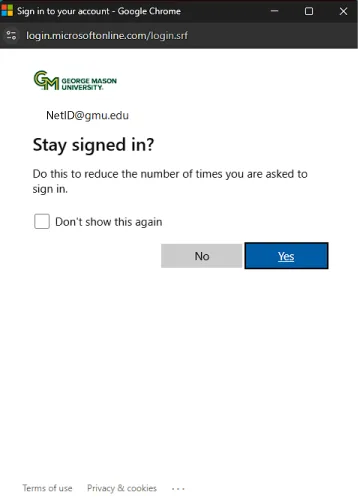
Select the yellow “Sign-In” button. This will open another browser tab where you can log in with your George Mason credentials by selecting “Sign in” in the top right-hand corner. After logging in, it should return you to the initial dashboard webpage; if this does not occur, return to the webpage and refresh the page. Save time in the future by selecting "Yes" when presented with the "Stay Signed In" option after login.
The Dashboard requires a license to the Microsoft Power BI application. Currently, only full-time faculty and staff have the license assigned as part of the Microsoft 365 Suite. If you feel you should have this license, contact ITS Support at 703-993-8870 for assistance or submit a request for Portfolio & Project Management Access.
The dashboard refreshes and pull new data from the Project Inventory every hour from 9:00 a.m. ET to 4:00 p.m. ET. The last refresh timestamp is in the bottom right-hand corner of the dashboard, which will show when the last data was retrieved.
Select the link underneath the dashboard to view a larger version that fills the entire page. If the screen buffers for longer than 1 minute, please refresh the page until the dashboard appears, as this sometimes occurs for first-time users.
Please contact the Project Management Office at [email protected] for any enhancement requests or additional feedback.
Quick Links
Learn more about OFEG and our services
Learn more about the process, how it works, and roles and responsibilities
Templates for capturing project information throughout the lifecycle
Learn more about overall project management, resources, and more